
Download Tomcat Controller – Free Mac Tool for Easy Tomcat Management
Tomcat Controller is a lightweight, free utility designed exclusively for macOS users who need quick, reliable access to Apache Tomcat servers. Since its debut in 2007, the application has attracted more than 5,000 downloads, with a steady flow of new users from tech‑savvy regions such as China, the United States, and Singapore. The current stable release, version 1.2, was last updated on April 4 2007 and remains compatible with macOS X and earlier releases. Whether you are a developer testing web applications locally or a system administrator overseeing multiple Tomcat instances, Tomcat Controller offers a clean interface, instant start/stop controls, and real‑time status monitoring—all without demanding significant storage or processing power. In this review we’ll explore the key features, walk through the installation process, discuss system compatibility, and weigh the pros and cons to help you decide if this app fits your workflow.
Key Features and Core Functionality
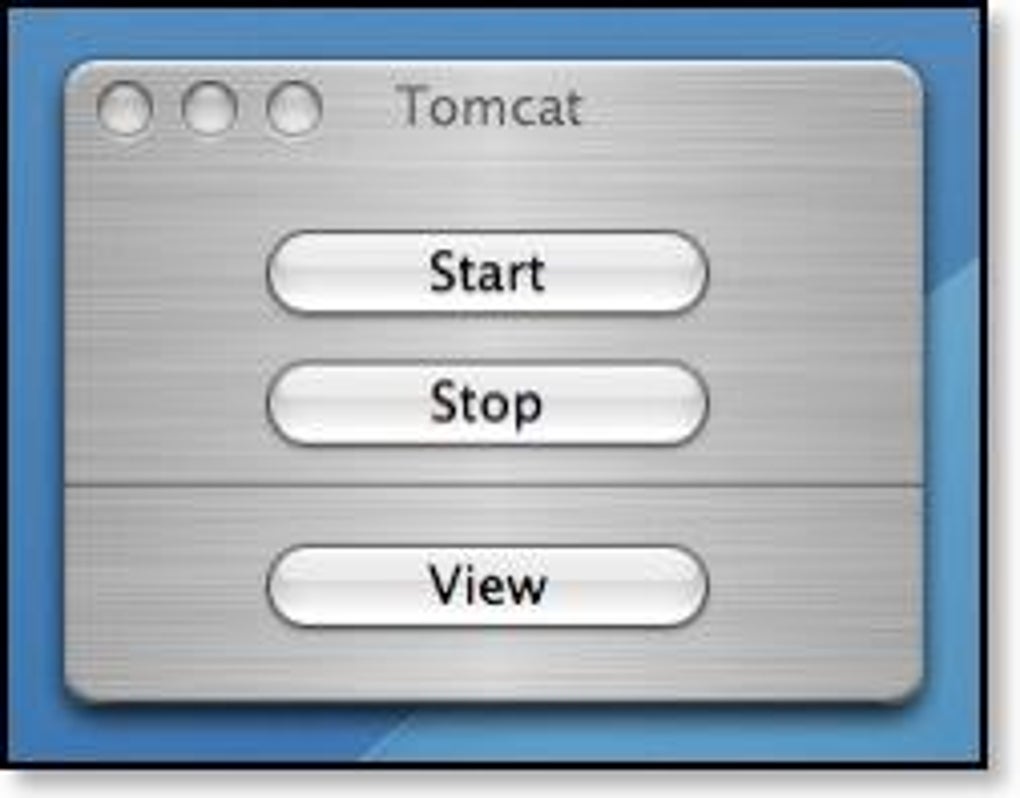
- Instant Server Control: Start, stop, and restart Tomcat instances with a single click, eliminating the need to use terminal commands.
- Real‑Time Status Dashboard: View live server health, port usage, and deployed webapps directly from the main window.
- Lightweight Design: The installer occupies less than 5 MB, keeping your Mac’s storage footprint minimal.
- Multi‑Instance Management: Configure and switch between several Tomcat installations without manual configuration changes.
- Log Viewer Integration: Quickly access catalina.out and other log files within the app, with optional color‑coded filtering for errors and warnings.
- Automatic Updates Notification: The app checks for newer releases and alerts you when a security or feature update is available.
- English‑Only Interface: Simple, jargon‑free language makes it easy for beginners while still providing the depth needed by seasoned developers.
Pros and Cons
- Pros:
- Free and open to all macOS users.
- Extremely fast launch time; no background services required.
- Low memory consumption compared to full‑featured IDE plugins.
- Intuitive UI reduces the learning curve for new Tomcat users.
- Supports multiple Tomcat versions side‑by‑side.
- Cons:
- Only available for macOS; Windows and Linux users must rely on alternatives.
- Last major update was in 2007, so some modern macOS features are not leveraged.
- No built‑in remote management; the tool works only with local Tomcat instances.
- Limited customization of the dashboard layout.
Installation, Configuration, and Daily Usage
Getting Tomcat Controller up and running is straightforward, even for users with limited command‑line experience.
- Download the DMG: Click the “Download Tomcat Controller” button below the article or visit the official site. The file is a standard macOS disk image (≈4.7 MB).
- Mount the Image: Double‑click the .dmg file to mount it. Drag the Tomcat Controller icon into your Applications folder.
- Grant Permissions: The first launch will prompt macOS Gatekeeper. Right‑click the app, select “Open,” and confirm you want to run it.
- Configure Tomcat Paths: Upon opening, navigate to Preferences → Tomcat Locations. Add the root directory of each Tomcat installation you wish to manage (e.g.,
/usr/local/apache-tomcat-9.0.73). - Start Managing: The main window now lists each configured instance with a status indicator (Running/Stopped). Use the green “Play” button to start, the red “Stop” button to halt, and the circular arrow to restart.
- Monitor Logs: Click the “Logs” tab to open real‑time log streaming. Filters allow you to focus on errors (ERROR) or warnings (WARN) only.
- Update Checks: Periodically click “Check for Updates” under the Help menu. The app will notify you if a newer version has been released.
Because Tomcat Controller interacts directly with the Tomcat binaries, no additional Java runtime configuration is required beyond what Tomcat already needs. The tool respects existing environment variables, making it safe to use alongside other development tools such as IntelliJ IDEA or Eclipse. For daily use, most users keep the application in the menu bar for one‑click access, especially when frequently restarting services during code testing.
Compatibility, System Requirements, and FAQ
Tomcat Controller runs on macOS X 10.4 (Tiger) and later versions, including macOS Big Sur and Monterey. It requires no additional dependencies beyond a standard Java Development Kit (JDK) that Tomcat itself needs. The application is optimized for Intel‑based Macs but also works on Apple Silicon (M1/M2) through Rosetta 2 translation.
Frequently Asked Questions
Is Tomcat Controller compatible with the latest Tomcat 10.x releases?
Yes. The tool detects the version of each Tomcat instance automatically, so you can manage Tomcat 10.x alongside older releases without any manual adjustments.
Can I use Tomcat Controller to manage remote Tomcat servers?
Tomcat Controller is designed for local instances only. For remote management, consider using JMX‑based tools or SSH scripts.
Do I need administrative privileges to start or stop Tomcat?
If Tomcat was installed in a directory that requires elevated rights (e.g., /opt), you’ll need to run Tomcat Controller with sudo privileges or adjust the folder permissions.
Is there a way to export the server status report?
Yes. The “Export” button on the dashboard creates a CSV file containing current status, port numbers, and uptime for each managed instance.
Will the app interfere with my existing IDE integrations?
Tomcat Controller works independently of IDE plugins. You can safely use it alongside Eclipse, NetBeans, or IntelliJ without conflicts.
Conclusion & Call to Action
Tomcat Controller remains a solid, free option for macOS developers who prefer a graphical interface over command‑line juggling. Its lightweight footprint, straightforward multi‑instance support, and built‑in log viewer make daily Tomcat management faster and less error‑prone. While the lack of recent updates and remote management capabilities may limit its appeal for large‑scale production environments, the tool excels for local development, testing, and educational purposes. If you’re looking for a no‑cost, secure way to start, stop, and monitor Tomcat servers on a Mac, Tomcat Controller delivers exactly what you need without unnecessary bloat.
Ready to streamline your Tomcat workflow? Free download the latest version now and experience hassle‑free server control today.







